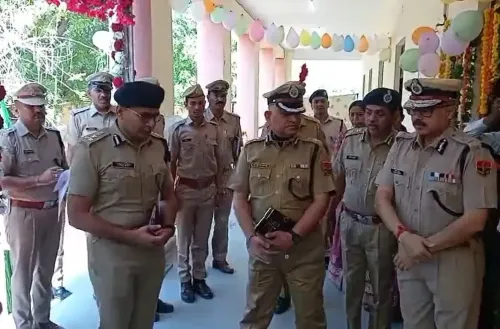


Rajasthan Police WhatsApp advisory: 6 security steps to stop cyber fraud

Synopsis
Rajasthan Police's Cyber Crime Branch has gone beyond generic warnings — its latest WhatsApp advisory names six specific settings, from two-step verification to IP address masking, that most users have never activated. With SIM-swap attacks and malware-laced APKs on the rise, this is one of the most actionable state-level cybersecurity advisories issued in India this year.
Key Takeaways
Rajasthan Police Cyber Crime Branch issued a WhatsApp security advisory on 23 May 2025 .
ADGP (Cyber Crime) V.K.
Singh warned that minor negligence can expose banking details, private photos, and personal chats to hackers.
Citizens are advised to enable Two-Step Verification and disable auto-download of media files immediately.
Malware-infected APK and PDF files circulated via WhatsApp can silently steal data if auto-download is active.
Fraud can be reported at cybercrime.gov.in or by calling helpline number 1930 .
The Rajasthan Police Cyber Crime Branch has issued a detailed advisory urging citizens across the state to immediately activate key security settings on WhatsApp, warning that minor negligence could expose personal chats, private photos, banking credentials, and other sensitive data to cybercriminals. The advisory was announced on Friday, 23 May as part of the branch's ongoing statewide awareness campaign against digital fraud.
What the Advisory Covers
Additional Director General of Police (Cyber Crime) V.K. Singh said that even small lapses in digital hygiene can allow hackers to seize control of WhatsApp accounts and access confidential information. He stressed that the growing sophistication of cybercriminals makes proactive security measures essential for every smartphone user.
The advisory outlines six specific steps citizens should take without delay to secure their accounts.
Six Steps Rajasthan Police Want You to Take Now
1. Enable Two-Step Verification: Users should navigate to Settings > Account > Two-Step Verification and set a secret PIN. According to the advisory, this ensures that even if fraudsters clone a SIM card, they cannot access the WhatsApp account without the PIN.
2. Restrict Privacy Settings: Profile photo, last seen, status, and group settings should be limited to 'My Contacts' under Privacy Settings. This prevents misuse of personal images and blocks unknown persons from adding users to fraudulent groups.
3. Disable Auto-Download: Cybercriminals reportedly circulate malware-infected APK and PDF files through WhatsApp. If auto-download is enabled, such files save silently to the device and can steal banking and personal data in the background. Users are advised to disable auto-download entirely under Storage and Data settings.
4. Silence Unknown Callers: Activating the Silence Unknown Callers feature under Privacy Settings helps filter out spam calls and international scam calls, which have surged in recent months.
5. Protect IP Address in Calls: The Protect IP Address in Calls option under Advanced Privacy settings routes calls through WhatsApp servers, concealing the user's real location from potential attackers.
6. Audit Linked Devices: Citizens are urged to periodically review the Linked Devices section on WhatsApp. Any unrecognised device should trigger an immediate remote logout.
Growing Cyber Threat Landscape in Rajasthan
The advisory comes as cybercrime cases continue to rise across Rajasthan, mirroring a national trend. WhatsApp, with its near-universal adoption in India, has increasingly become a vector for SIM-swap attacks, phishing links, and impersonation scams. This is not the first such advisory from the Cyber Crime Branch — officials have been running awareness drives across districts, but the WhatsApp-specific guidance marks one of the more granular public-facing communications from the branch.
Notably, the focus on APK-based malware reflects a pattern seen in multiple states, where fraudsters disguise malicious files as utility bills, courier notifications, or government documents to trick users into downloading them.
How to Report Cyber Fraud
The Rajasthan Police Cyber Crime Branch has urged citizens not to delay reporting any suspected fraud. Complaints can be filed at the nearest police station or cyber police station, through the National Cyber Crime Reporting Portal at cybercrime.gov.in, or by calling the national cyber helpline number 1930.
With digital transactions and mobile-based communication now deeply embedded in daily life, officials say timely reporting remains the most effective tool to contain fraud and recover losses.
Point of View
But most remain too vague to be actionable. This one is different — six named settings, with navigation paths, is the kind of specificity that actually changes user behaviour. What it still lacks is data: how many WhatsApp-linked fraud cases has Rajasthan recorded this year, and what has the Cyber Crime Branch's clearance rate been? Without those numbers, the advisory reads as prevention-first but accountability-light. As SIM-swap and APK-malware attacks industrialise across India, citizens need both the how-to and the confidence that the state machinery will act when prevention fails.
NationPress
26 Sept 2026
Frequently Asked Questions
What is the Rajasthan Police WhatsApp security advisory about?
The Rajasthan Police Cyber Crime Branch issued an advisory on 23 May 2025 listing six specific WhatsApp settings citizens should activate to protect themselves from hackers and cyber fraud. These include enabling Two-Step Verification, restricting privacy settings, disabling auto-download, silencing unknown callers, masking IP addresses in calls, and auditing linked devices.
How do I enable WhatsApp Two-Step Verification as recommended by Rajasthan Police?
Go to Settings, then Account, then Two-Step Verification, and set a secret PIN. Once enabled, anyone who tries to register your number on a new device — including SIM-cloning fraudsters — will be blocked without the PIN.
Why is disabling WhatsApp auto-download important for cyber safety?
Cybercriminals reportedly send malware-infected APK and PDF files through WhatsApp. If auto-download is on, these files save to your phone automatically and can run in the background, stealing banking and personal data without your knowledge. Disabling it under Storage and Data settings removes this risk.
How can I report a cyber fraud in Rajasthan?
You can report cyber fraud at the nearest police station or cyber police station, file a complaint online at cybercrime.gov.in, or call the national cyber helpline number 1930. The Rajasthan Police Cyber Crime Branch has urged citizens not to delay reporting.
What is the 'Protect IP Address in Calls' feature on WhatsApp?
It is an Advanced Privacy setting that routes WhatsApp calls through the company's servers, hiding your real IP address — and by extension your approximate location — from the person you are calling or any third party attempting to intercept the call.